
11 Best SPSS Alternatives in 2026: Python, R, JASP, Jamovi & More
Looking for an SPSS alternative for statistical analysis? Compare 11 tools: Python, R, JASP, Jamovi, and AI research workspaces like Sophan AI. Includes decision matrix, migration guide, and category comparison.

11 Best SPSS Alternatives in 2026: Python, R, JASP, Jamovi & More
Why Researchers Are Looking for an SPSS Alternative
For decades, SPSS (Statistical Package for the Social Sciences) was the default choice for researchers running statistical analysis. Its point-and-click interface made statistics accessible to non-programmers across psychology, sociology, healthcare, and education. But the world of statistical software has changed dramatically.
In our experience helping life-science researchers migrate away from SPSS, the biggest challenge isn't learning new statistical methods — it's reproducing analyses months later. A click-based workflow produces results you can't easily audit, share, or rebuild. As the open-science movement gains momentum 1, reproducibility has become a core requirement rather than a nice-to-have.
Today, researchers are increasingly seeking an SPSS alternative for statistical analysis — one that offers greater flexibility, modern visualization capabilities, transparent methodologies, and a workflow that doesn't require institutional software management. Whether you're a PhD student on a tight budget, a data scientist expanding your toolkit, or a research lab looking to modernize, this guide compares 11 of the best alternatives available across three categories: programming environments, desktop applications, and AI research workspaces.

Why SPSS Still Dominates — and Why That's Changing
SPSS remains widely taught in universities because it lowers the barrier to entry 2. But researchers moving beyond introductory statistics quickly hit three walls:
- Cost. IBM SPSS Statistics licensing is expensive. Individual subscriptions run approximately $99–$1,290/year depending on the tier 3, and institutional site licenses can cost tens of thousands. For independent researchers or small labs, this is often prohibitive.
- Reproducibility. The push toward open science has highlighted a critical weakness: SPSS workflows are largely manual. Click-based analyses are difficult to document, share, and reproduce. Scripted alternatives like Python and R offer built-in reproducibility through literate programming.
- Flexibility. SPSS excels at standard parametric tests but struggles with Bayesian analysis, machine learning integration, and custom visualizations. Open-source tools evolve faster and support cutting-edge techniques.
A third category is emerging. Traditional alternatives to SPSS fall into two camps: programming environments (Python, R) that require coding, and desktop applications (JASP, Jamovi) that stay close to SPSS's point-and-click paradigm. A newer approach — AI-assisted research platforms like Sophan AI — automates the statistical workflow itself. Instead of selecting tests from menus or writing code, researchers describe their question in plain language and receive results, figures, and reproducible reports. The comparison below covers all three categories so you can choose based on what matters most for your research.
SPSS Alternatives Compared
The tools below fall into three categories: programming environments, desktop statistical applications, and AI research workspaces. Each is evaluated on the dimensions that matter most when choosing an SPSS alternative:
| Tool | Category | Best For | Coding Required | AI Assistance | Reproducible Reports | Installation |
|---|---|---|---|---|---|---|
| Python (SciPy, statsmodels) | Programming environment | Advanced analytics, ML integration | Yes | Optional (Copilot, etc.) | Via notebooks | Local install |
| R & RStudio | Programming environment | Academic research, biostatistics | Yes | Optional (Copilot, etc.) | Via R Markdown / Quarto | Local install |
| JASP | Desktop app | Quick Bayesian & frequentist stats | No | No | Export .jasp only | Local install |
| Jamovi | Desktop app | Teaching, basic to intermediate stats | No | No | Export R code | Local install |
| Sophan AI | AI research workspace | Collaborative life-sciences research | No | Built-in | Auto-generated from analysis | Browser (none) |
| PSPP | Desktop app | Direct SPSS replacement | No | No | SPSS syntax | Local install |
| SOFA Statistics | Desktop app | Simple analyses, auditors | No | No | Limited | Local install |
| Gretl | Desktop app | Econometrics, time series | Scripts optional | No | Via scripts | Local install |
| Stata | Desktop app | Econometrics, panel data | Scripts optional | No | Via do-files | Local install |
| GraphPad Prism | Desktop app | Biomedical research | No | No | Via auto-save | Local install |
| MATLAB | Programming environment | Engineering, signal processing | Yes | Optional (toolboxes) | Via scripts | Local install |
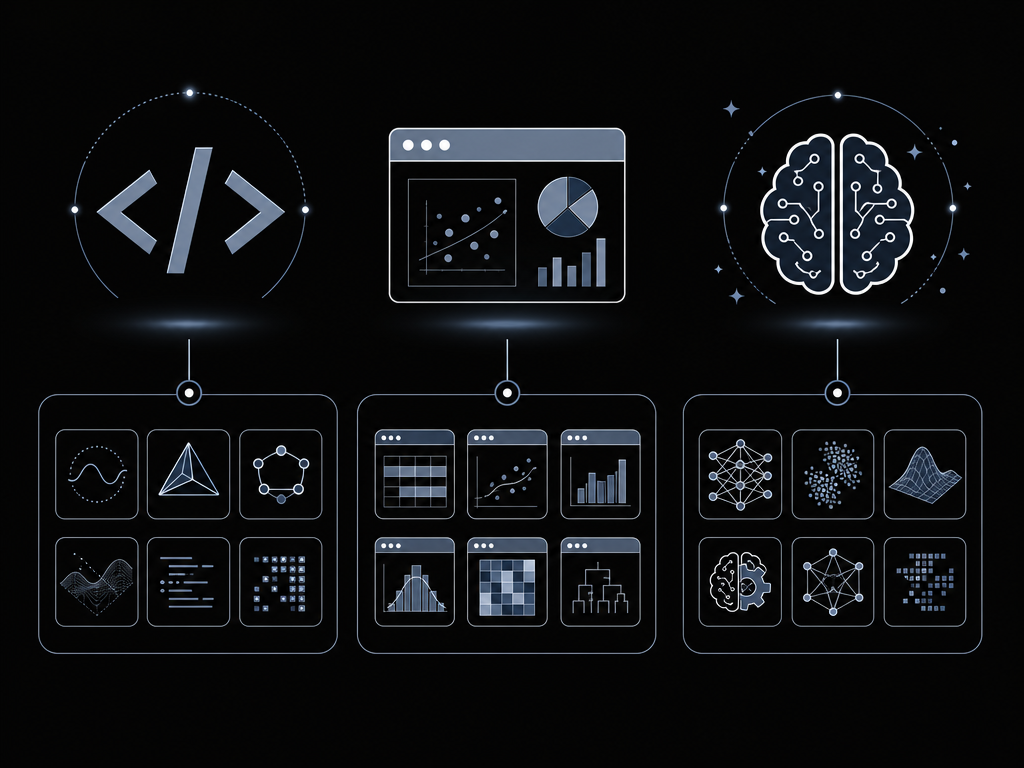
Python: The Most Flexible SPSS Alternative
Python has become the leading SPSS alternative for statistical analysis among researchers who want maximum flexibility. With libraries like pandas (data manipulation), scipy (statistical tests), statsmodels (regression, ANOVA, time series), and scikit-learn (machine learning), Python covers virtually every analysis need.
Pros:
- Completely free and open source
- Massive ecosystem beyond statistics (machine learning, web apps, automation)
- Jupyter Notebooks combine code, results, and narrative — perfect for reproducible research
- Strong industry adoption means transferable skills
- Integration with AI and large language model workflows
Cons:
- Requires learning Python syntax (steeper initial learning curve)
- No built-in point-and-click interface (though libraries like
dablandsweetvizoffer exploratory alternatives) - Package management can be confusing for beginners
Example workflow — from SPSS export to publication-ready output:
import pandas as pd
from scipy import stats
import statsmodels.api as sm
import matplotlib.pyplot as plt
import seaborn as sns

# Load exported SPSS data (.sav → .csv via pandas or haven)
data = pd.read_csv('study_results.csv')

# Independent t-test
t_stat, p_value = stats.ttest_ind(data['control'], data['treatment'])
print(f"t({2*len(data)-2}) = {t_stat:.3f}, p = {p_value:.4f}")

# Linear regression
X = sm.add_constant(data[['age', 'dosage']])
model = sm.OLS(data['outcome'], X).fit()
print(model.summary())

# Publication-ready boxplot
sns.boxplot(data=data[['control', 'treatment']])
plt.savefig('anova_results.png', dpi=300, bbox_inches='tight')
Can Python Fully Replace SPSS?
This is one of the most common questions from researchers evaluating the switch. The short answer is yes, for almost everything:
| Analysis Type | SPSS | Python |
|---|---|---|
| Descriptive statistics | ✓ | ✓ (describe, pandas) |
| t-tests (independent, paired, one-sample) | ✓ | ✓ (scipy.stats) |
| ANOVA (one-way, factorial, repeated) | ✓ | ✓ (statsmodels, pingouin) |
| Mixed/linear models | ✓ | ✓ (statsmodels MixedLM, pymer4) |
| Non-parametric tests | ✓ | ✓ (scipy.stats) |
| Chi-square, Fisher's exact | ✓ | ✓ (scipy.stats) |
| Factor analysis, PCA | ✓ | ✓ (scikit-learn, factor_analyzer) |
| Survival analysis | ✓ | ✓ (lifelines) |
| Logistic regression | ✓ | ✓ (statsmodels, scikit-learn) |
| ROC curves | ✓ | ✓ (scikit-learn, plotnine) |
| Power analysis | ✓ | ✓ (statsmodels) |
| Bayesian analysis | ✓ | Via PyMC, Bambi |
| Machine learning | Only via extension | Native (scikit-learn, XGBoost, PyTorch) |
The cases where SPSS still holds an edge are niche — proprietary algorithms in complex survey analysis (Complex Samples module) and certain legacy custom tables. For standard research workflows, Python matches or exceeds SPSS capabilities.
R and RStudio: The Deepest Statistical Ecosystem
R was built by statisticians for statisticians. It offers the deepest collection of statistical packages of any platform — over 20,000 packages on CRAN 4 covering everything from psychometrics to spatial statistics. For academic researchers who publish frequently, R remains the gold standard.
Pros:
- Unmatched breadth of statistical packages
- RStudio IDE provides an excellent development environment
ggplot2produces publication-quality graphics by defaultR MarkdownandQuartofor reproducible reports and articlesShinyfor building interactive web dashboards
Cons:
- Steeper learning curve than SPSS (though less than Python for pure statistics)
- Base R syntax can be inconsistent
- Memory management is less efficient than Python for large datasets
Researchers moving from SPSS often underestimate the transition from click-based workflows to scripting. Tools like JASP and Jamovi, described below, provide a gentler migration path for team members who aren't ready to write code.
JASP: The Easiest Transition from SPSS
JASP was developed by a team at the University of Amsterdam specifically as a free SPSS alternative for statistical analysis. It offers both frequentist and Bayesian analyses in a familiar point-and-click interface, making it the lowest-friction option for SPSS users who want to avoid coding.
Pros:
- Free and open source
- SPSS-like interface — almost no learning curve for SPSS users
- Built-in Bayesian analyses with clear interpretation guides
- Drag-and-drop data import from SPSS (.sav), Excel, and CSV
- Bayesian equivalents of t-tests, ANOVA, regression, and correlation
- Actively developed by the University of Amsterdam
Cons:
- Smaller range of analyses compared to SPSS or R
- Limited customization of visualizations
- No scripting or automation capabilities
- Slower development cycle for new statistical methods
Jamovi: Modern Open-Science Statistics for Education
Jamovi is another excellent SPSS alternative that combines a modern GUI with R's statistical engine behind the scenes. It's particularly popular in educational settings because it lets students learn statistical concepts without wrestling with syntax.
Pros:
- Modern, clean interface
- Built on R — results are powered by proven R packages
- Supports R syntax and custom R modules (advanced users can extend it)
- Excellent for teaching statistics
- Free and cross-platform
Cons:
- Limited advanced analyses compared to full R environment
- Some analyses still in development
- Smaller community than Python or R
Sophan AI: An AI Research Workspace, Not Statistical Software
Unlike every other tool in this comparison, Sophan AI is not statistical software — it's an AI research workspace purpose-built for the research workflow rather than individual statistical tests. Where traditional tools require researchers to select analyses from menus or write code, Sophan is designed around a fundamentally different interaction model:
Traditional tool workflow (SPSS, JASP, Jamovi, etc.):
- Import spreadsheet
- Choose statistical test from menu
- Configure options
- Run analysis
- Export results
- Copy results into manuscript
- Repeat for each analysis
- Manually document steps for reproducibility
Sophan AI workflow:
- Upload your dataset
- Describe your research question in plain language
- The AI selects the appropriate analysis method, runs it in an isolated sandbox, and generates results, figures, and a reproducible methods section — all in one step
- Your entire analysis — data, code, figures, and results — is saved in a shared study that your team can review, rerun, or build upon
This transforms the researcher's experience from managing software to getting results.
Python and R provide unmatched flexibility, but they require programming skills, package management, and significant setup time before a single analysis runs. JASP and Jamovi offer a simpler interface but keep the same manual workflow as SPSS. Sophan AI is designed for researchers who prefer to focus on scientific questions rather than statistical programming — trading the flexibility of a general-purpose tool for an integrated workflow that takes you from data upload to reproducible results in minutes, not hours.
Pros:
- No installation — works entirely in the browser, no heavy downloads, no IT approval
- AI-powered analysis — describe your question in plain English instead of navigating menus or learning syntax
- Automated reproducibility — every analysis is logged with its code, parameters, and output by default
- Built-in collaboration — share studies, analyses, and reports with your team without file-sharing workarounds
- Study management — organize datasets, analyses, and reports in one place, not spread across folders
- Publication-ready outputs — generates figures and methods text that can be used directly in manuscripts
Cons:
- Requires internet connection
- Newer platform with a growing (but still developing) feature set
- Best suited for research teams producing reproducible analyses, not individual quick data checks
Want to see what a browser-based workflow looks like? Upload an Excel or SPSS file and generate statistical analyses, publication-ready figures, and reproducible reports in minutes — no installation required. Try Sophan AI.
How to Migrate from SPSS to Open-Source Tools
One of the most common questions from researchers is: "How do I actually move my existing SPSS work to a new tool?" Here's the practical migration path:
Step 1: Export your data
SPSS saves data in .sav format. All major alternatives support direct import:
- Python:
pd.read_spss('data.sav')(viapyreadstat), ordf = pd.read_csv('exported.csv') - R:
haven::read_sav('data.sav') - JASP/Jamovi: Drag-and-drop
.savfiles directly
Step 2: Replicate a single analysis Start with one analysis you know well — a t-test or ANOVA you've already run in SPSS. Replicate it in your new tool and compare the output. This builds confidence and reveals any procedural differences.
Step 3: Adopt a reproducible workflow Replace point-and-click with notebooks (Jupyter for Python, R Markdown/Quarto for R) that combine code, results, and narrative. This is the single biggest improvement over SPSS.
Step 4: Version control your analysis Store your notebooks in Git alongside your data. Every result becomes traceable, auditable, and shareable — something SPSS cannot offer.
How to Choose the Right SPSS Alternative for Your Research
Your choice depends on your specific needs. Here's a quick decision matrix:
| If you are... | Start with... | And expand to... |
|---|---|---|
| Undergraduate student | Jamovi | R for advanced coursework |
| Psychology PhD candidate | JASP | R for specialized analyses |
| Biomedical or clinical researcher | Sophan AI | Python for custom pipelines |
| Data scientist / ML practitioner | Python | R for specialized statistics |
| Biostatistician | R | Python for ML integration |
| Economist / social scientist | Stata | R for open-science workflows |
| Lab manager evaluating tools | Sophan AI | Python for automation |
| SPSS user who doesn't want to code | JASP or Jamovi | Sophan AI for auto-generated reproducible reports |
Choose Python if:
- You want the most versatile tool beyond just statistics
- You plan to work with machine learning or AI
- You value reproducibility through scripting
- You want transferable industry skills
Choose R if:
- You need the deepest statistical package ecosystem
- You publish academic papers frequently
- You work in biostatistics, psychometrics, or ecology
- Publication-ready graphics are a priority
Choose JASP if:
- You want the shortest learning curve from SPSS
- Bayesian analysis is part of your workflow
- You prefer point-and-click over coding
Choose Jamovi if:
- You teach statistics to students
- You want a modern GUI with R's power underneath
- You occasionally need to write custom R code
Choose Sophan AI if:
- You want to spend less time performing statistical analyses and more time interpreting results
- You need reproducible analyses without manually documenting each step
- You want publication-ready figures and methods without stitching together multiple tools
- Your team collaborates on research projects and needs a shared workspace
- Your work is primarily in life-sciences research
- You value an integrated research workflow over a traditional desktop statistics package
FAQ
Is there a completely free SPSS alternative? Yes. Python (with SciPy/statsmodels), R, JASP, Jamovi, PSPP, and Gretl are all completely free and open source. For a different approach — an AI research workspace that requires no installation or coding — Sophan AI is also available for researchers who want to spend more time on results and less on software setup.
Can I open SPSS (.sav) files in other tools?
Yes. Python's pandas / pyreadstat library, R's haven package, JASP, and Jamovi all support importing SPSS .sav files directly.
Which SPSS alternative is easiest to learn? JASP and Jamovi have the lowest learning curve — both offer point-and-click interfaces similar to SPSS. For a web-based option, Sophan AI's AI-assisted interface is also beginner-friendly. PSPP is functionally identical to SPSS in layout.
Can I reproduce SPSS results exactly in Python or R? In most cases, yes. Base statistical tests (t-tests, ANOVA, regression) produce identical results. Some advanced SPSS procedures use proprietary algorithms — verify your specific analysis, particularly for complex survey sampling and custom tables.
Which alternative is best for Bayesian statistics? JASP offers the most accessible Bayesian analysis with built-in interpretation guides. R provides the most comprehensive Bayesian packages (Stan 5, brms, BayesFactor). Python has PyMC and Bambi for Bayesian modeling.
What about PSPP?
PSPP is a free GNU replacement for SPSS that reads .sav files and mirrors the SPSS interface almost exactly. It's useful if you need a drop-in replacement without changing workflows, but it lacks Bayesian analysis, modern visualizations, and scripting depth.
Conclusion
The era of SPSS as the only accessible option for statistical analysis is over. Today's alternatives fit into three categories — programming environments (Python, R) for maximum flexibility, desktop applications (JASP, Jamovi) for familiar point-and-click workflows, and AI research workspaces (Sophan AI) that automate the statistical workflow itself. The right choice depends on whether you want to write code, click menus, or describe your research question and get results.
For most researchers, the best approach is to start with a tool that matches your immediate needs and comfort level, then expand your toolkit over time. The right SPSS alternative for statistical analysis is the one you'll actually use consistently.
Reviewed by the Sophan Research Team — specialists in statistical analysis, reproducible research, and AI-assisted data analysis for life sciences.
Ready to try a modern alternative? Start analyzing your data with Sophan AI — no installation required, AI-assisted, and built for researchers who want results, not software management.
Footnotes
-
Open Science Collaboration. (2015). Estimating the reproducibility of psychological science. Science, 349(6251), aac4716. https://doi.org/10.1126/science.aac4716 ↩
-
IBM SPSS Statistics continues to be included in university curricula worldwide. https://www.ibm.com/products/spss-statistics ↩
-
IBM SPSS Statistics pricing tiers and subscription options. https://www.ibm.com/products/spss-statistics/pricing ↩
-
The Comprehensive R Archive Network (CRAN) — over 20,000 packages. https://cran.r-project.org/ ↩
-
Stan Development Team. Bayesian modeling with Stan. https://mc-stan.org/ ↩